

Upload assets
Upload an image from your computer or a URL. Bulk uploads are not currently supported.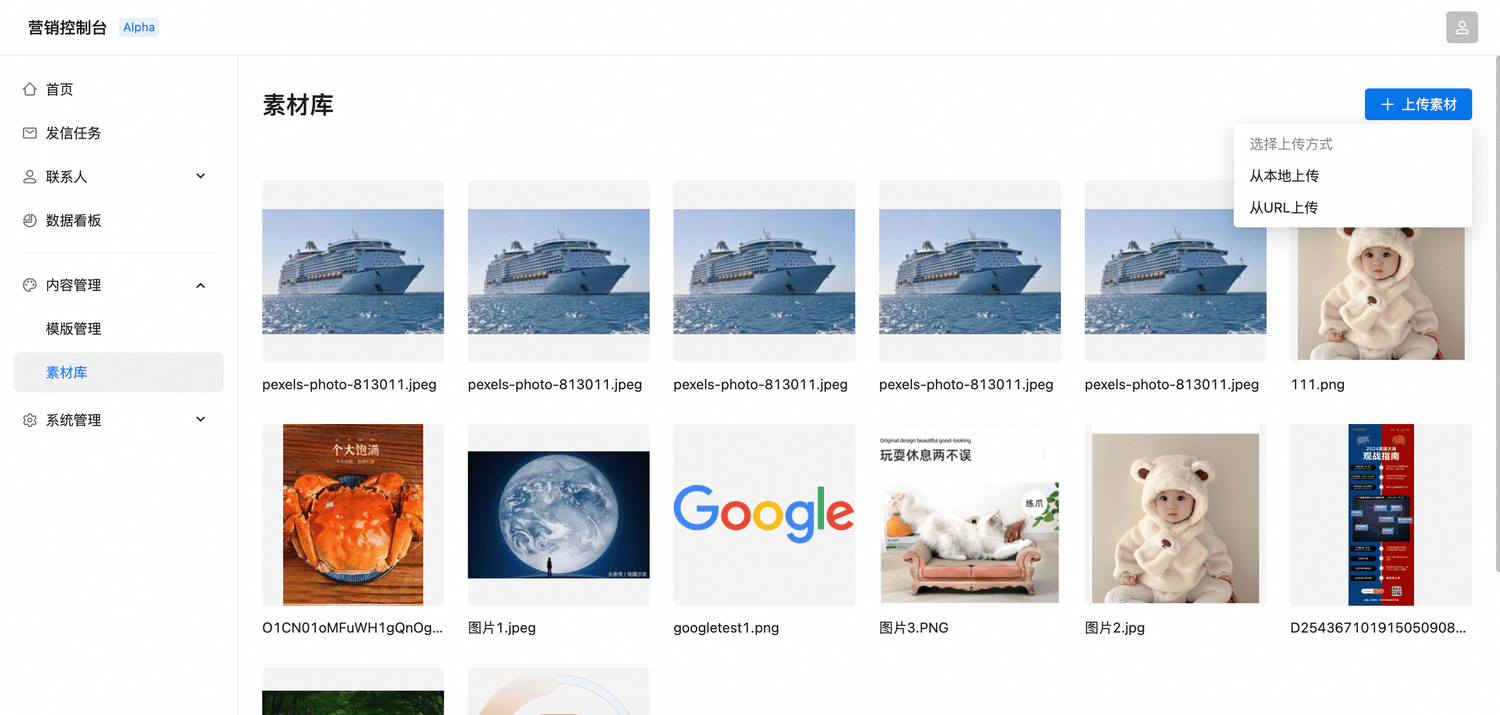
Manage assets
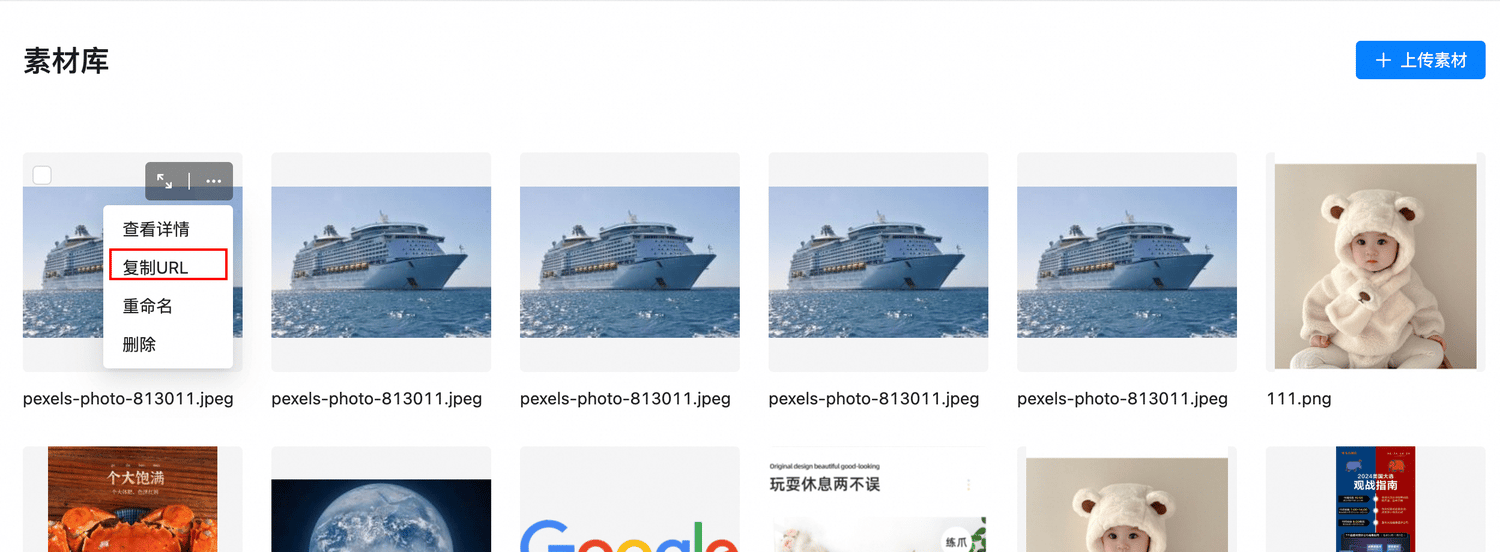
- Preview: Open an image directly or select View details from its menu.
- Copy URL: Copy the hosted image URL for use in an email template.
Automated review
Sendify scans uploaded assets. Images that violate content rules cannot be used; open View details to see the reason.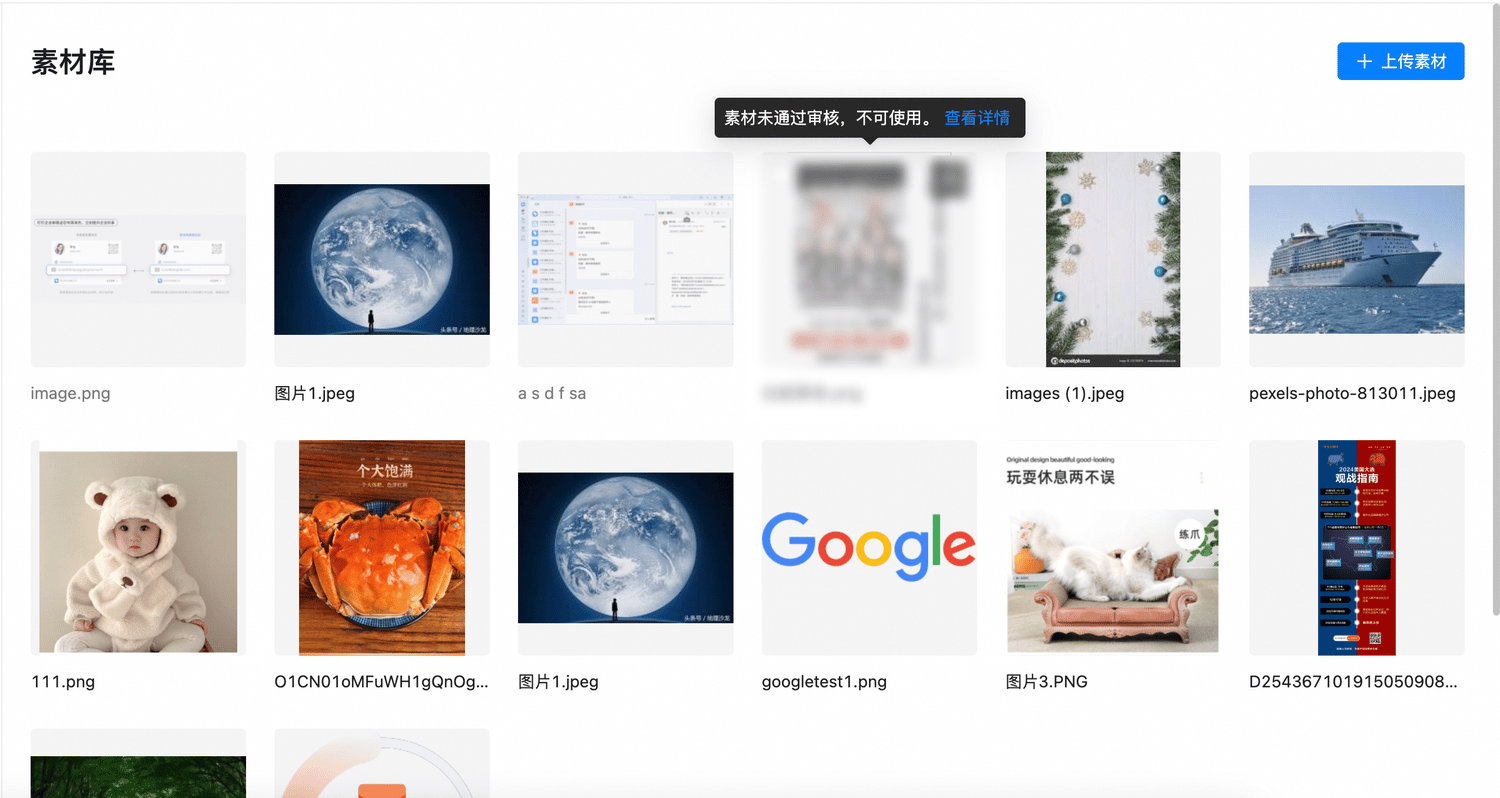
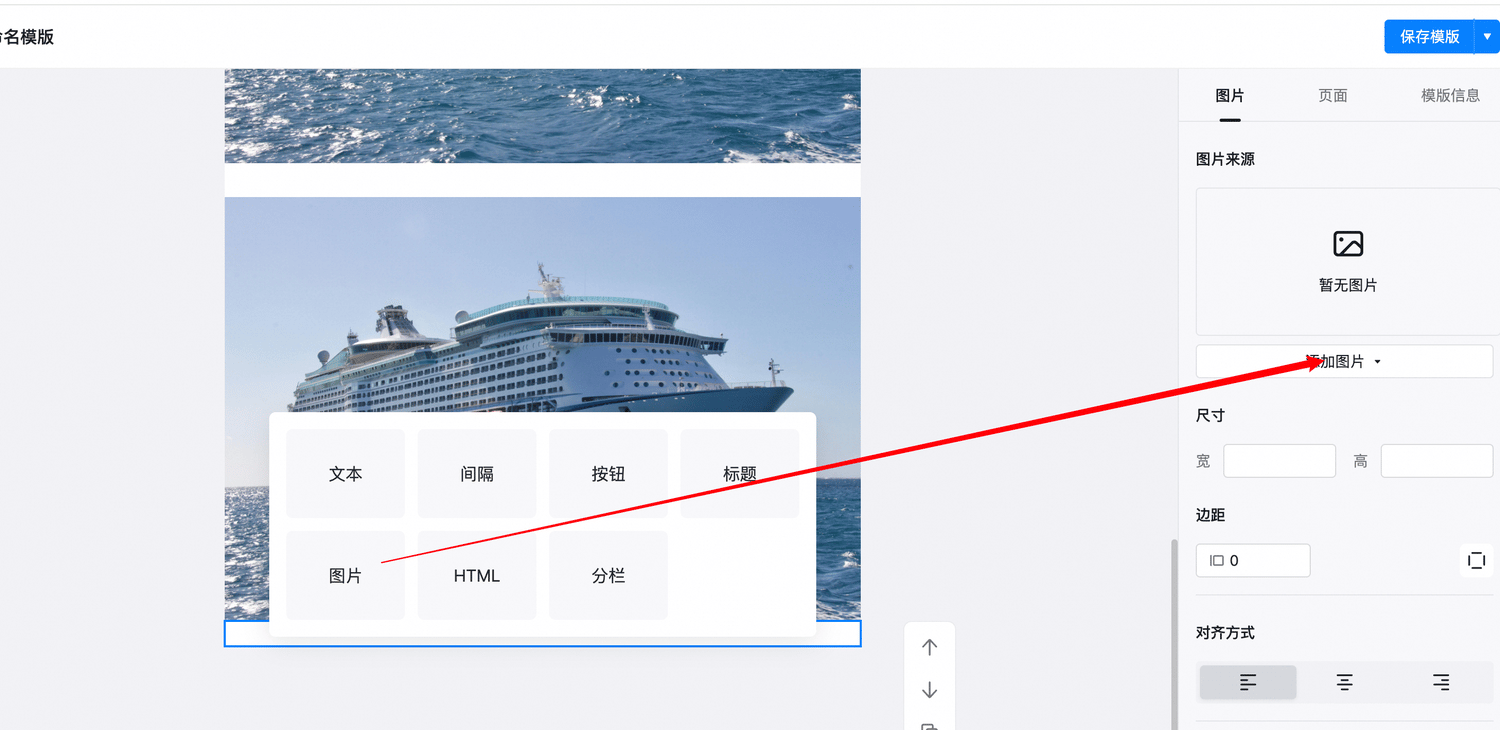
Insert an asset into email
- Rich-text editor
- Drag-and-drop editor
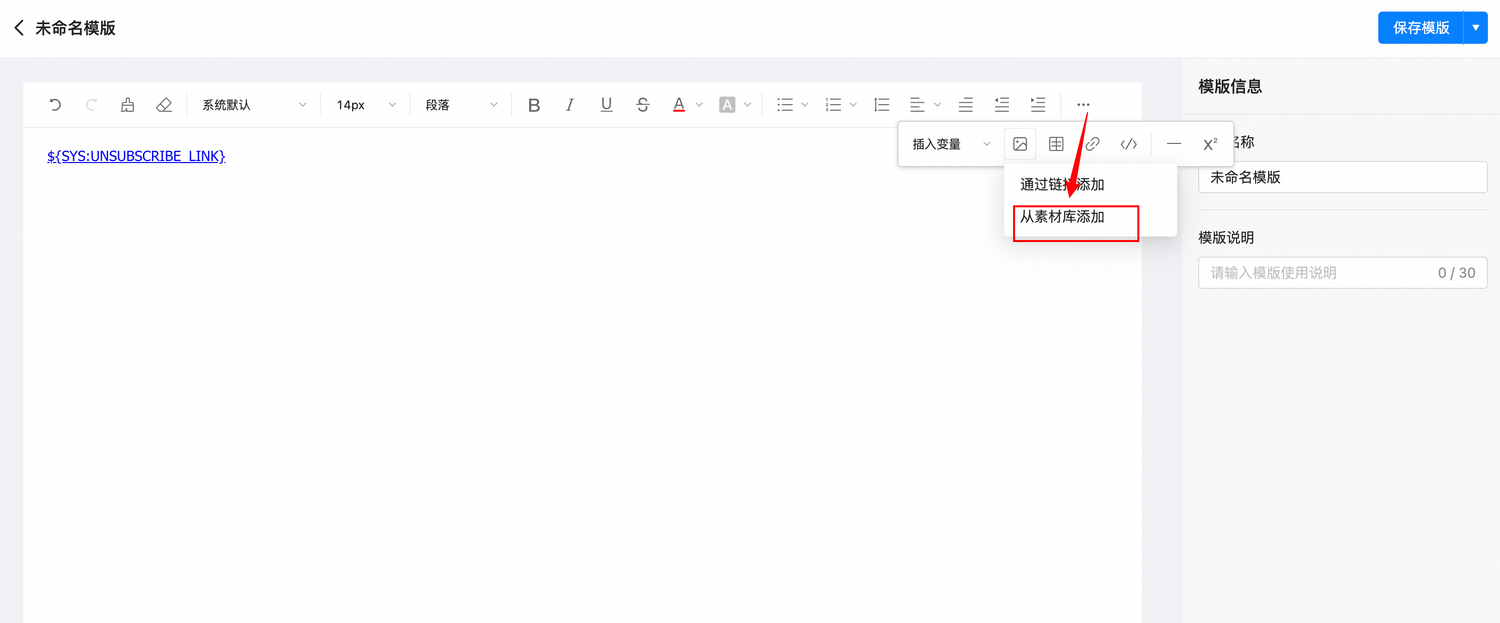
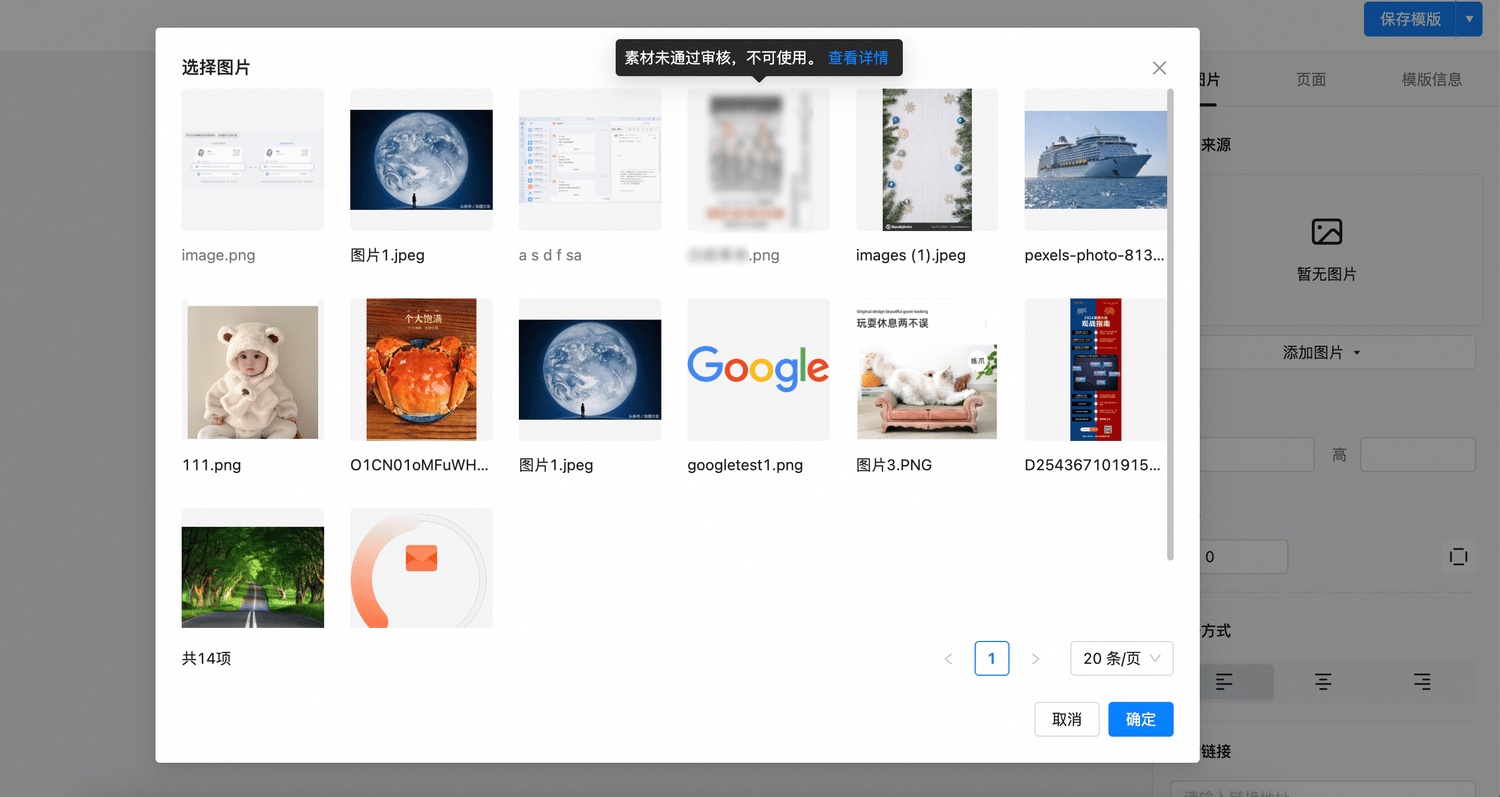
An image that has not passed review may remain visible in the library but cannot be inserted into a message.