

1
Create an API Key
In the Sendify console, open:Use a name that identifies both the person and client, such as 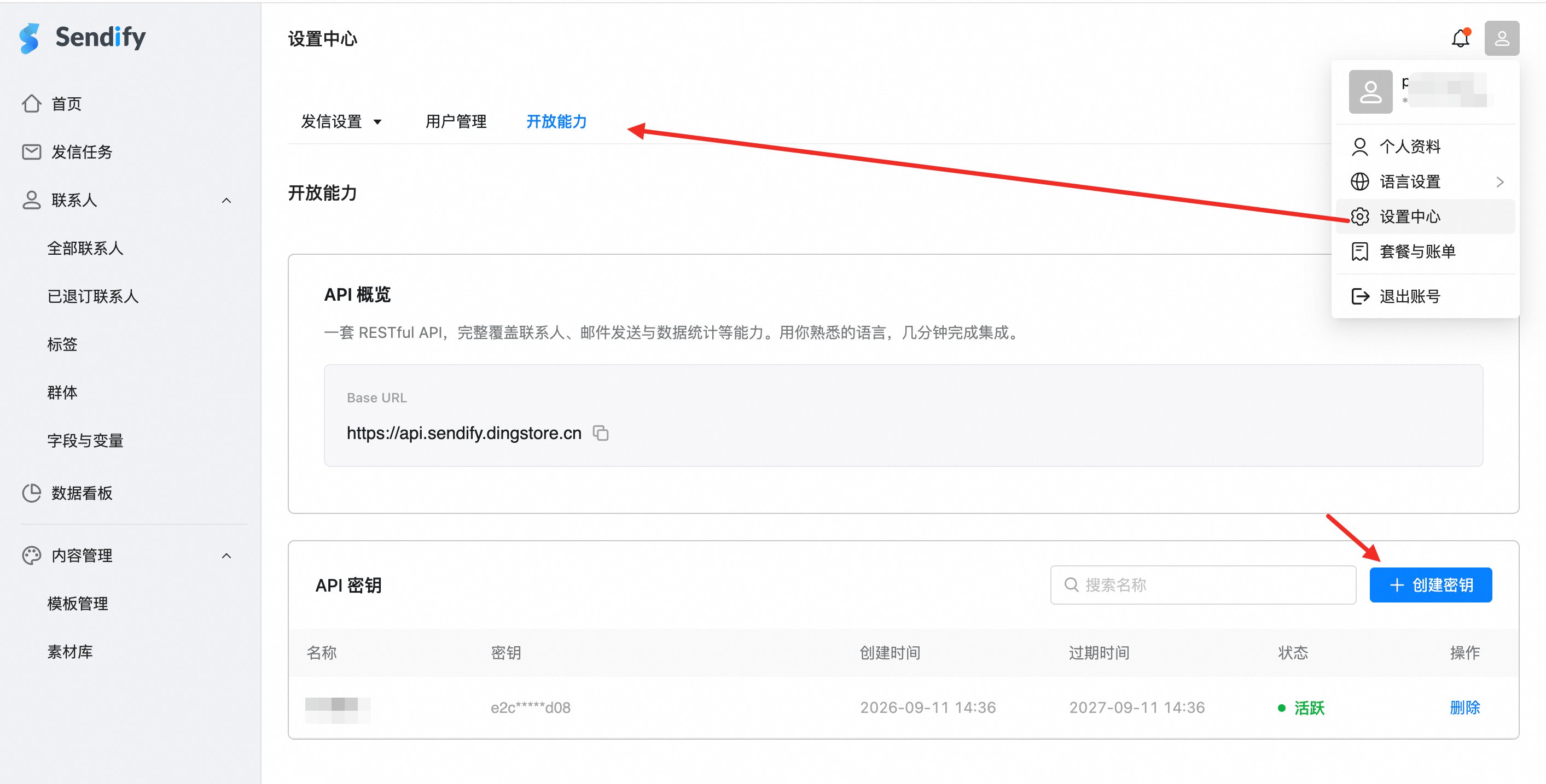
lili-codex-desktop, marketing-team-cursor, or reporting-claude-code.2
Configure your AI client
3
Run a real query
Restart the client completely, then ask:
List my 20 most recent Sendify campaigns. Return the name, state, and campaign ID.If the response includes real campaign names and IDs from your account, the endpoint, authentication, and data permissions are working.
Next steps
Explore available tools
Review campaign, report, recipient, and contact tools.
Protect your API Key
Learn how Bearer authentication works and how to store keys safely.