> ## Documentation Index
> Fetch the complete documentation index at: https://docs.sendify.dingstore.cn/llms.txt
> Use this file to discover all available pages before exploring further.

# 创建发信任务

> 创作邮件、配置任务并完成发送

<Icon icon="arrow-right-to-bracket" iconType="solid" /> `首页`，或 `发信任务` 页面

<Frame>
  <img src="https://mintcdn.com/sendify-3a1f7fa4/IaJHUY9fCSXuo_lG/send-task-entry.png?fit=max&auto=format&n=IaJHUY9fCSXuo_lG&q=85&s=4bbab2314576367077b6516704209863" alt="进入发信任务列表" width="1500" height="294" data-path="send-task-entry.png" />
</Frame>

## 操作步骤

<Steps>
  <Step title="创作邮件内容">
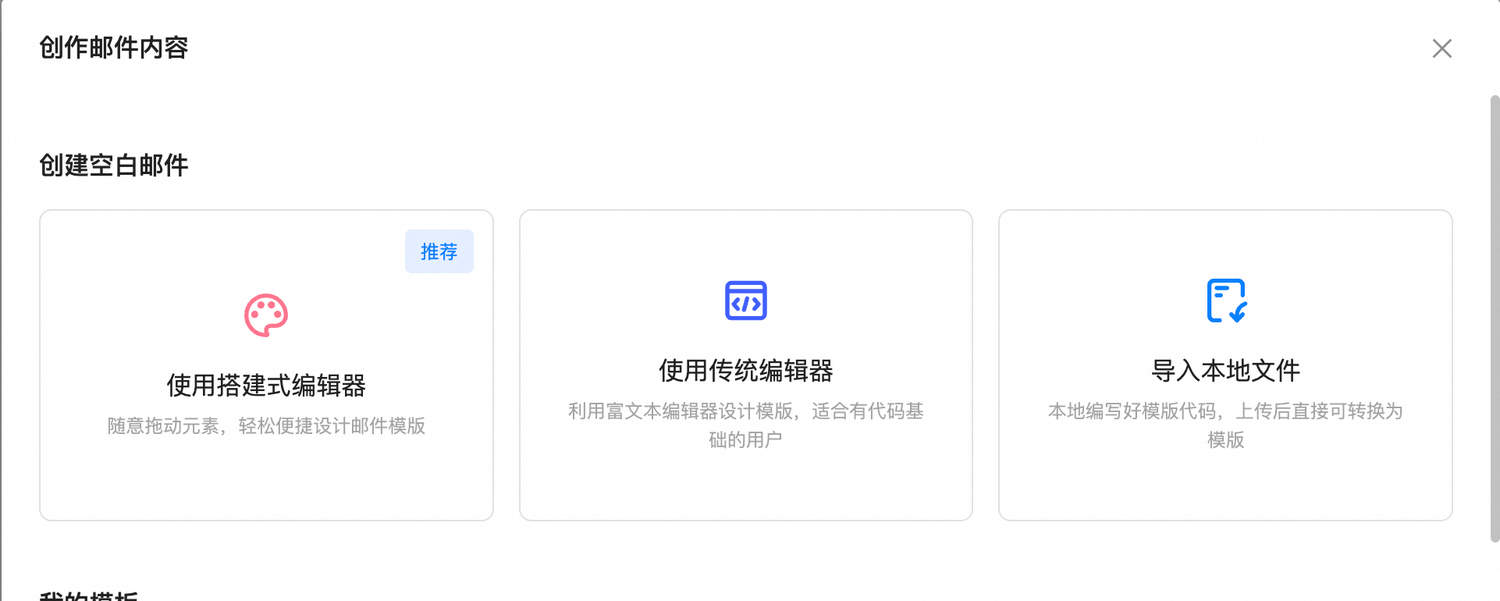
    点击「创作邮件内容」，选择合适的编辑器完成邮件内容。

    <Frame>
      <img src="https://mintcdn.com/sendify-3a1f7fa4/IaJHUY9fCSXuo_lG/send-editor-choice.png?fit=max&auto=format&n=IaJHUY9fCSXuo_lG&q=85&s=5a23a79a2e428c9ad30ad7f0e798e4f5" alt="选择邮件编辑方式" width="1500" height="601" data-path="send-editor-choice.png" />
    </Frame>
  </Step>

  <Step title="填写任务基本信息">
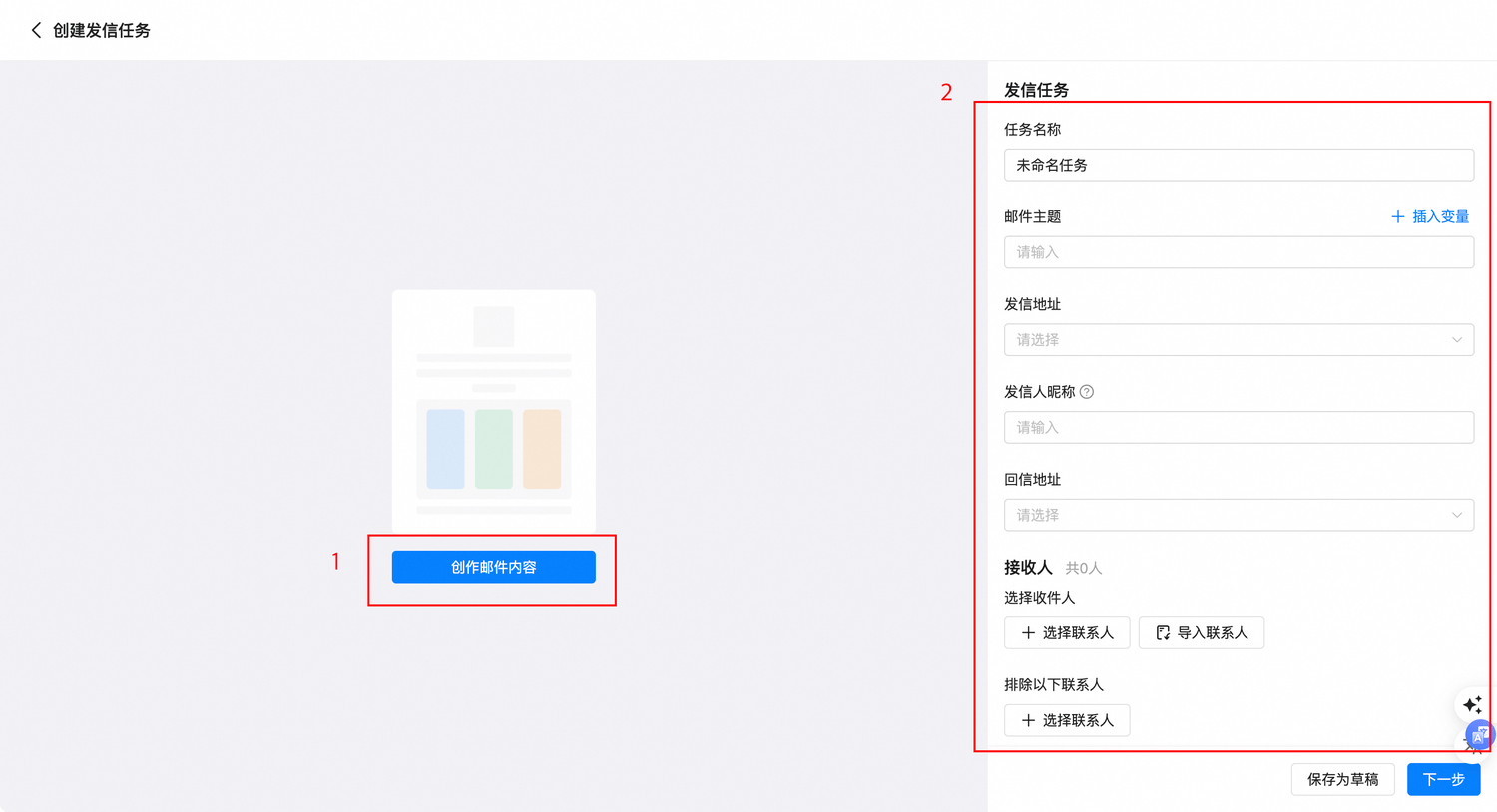
    * 设置邮件主题、发信人昵称、发信地址和回信地址等基本信息。
    * 选择联系人：支持按照标签或群体选择收件人列表。
    * 设置定时发送时间：系统可在指定时间开始发信。
    * 过滤无效联系人：发信前提前过滤无效联系人。发送时发现的无效联系人会自动分类，方便后续筛选和剔除。

    <Frame>
      <img src="https://mintcdn.com/sendify-3a1f7fa4/IaJHUY9fCSXuo_lG/send-task-form.png?fit=max&auto=format&n=IaJHUY9fCSXuo_lG&q=85&s=b0b62a0403117183a73d81b2bc052385" alt="填写发信任务信息" width="1500" height="814" data-path="send-task-form.png" />
    </Frame>
  </Step>

  <Step title="预览并发送">
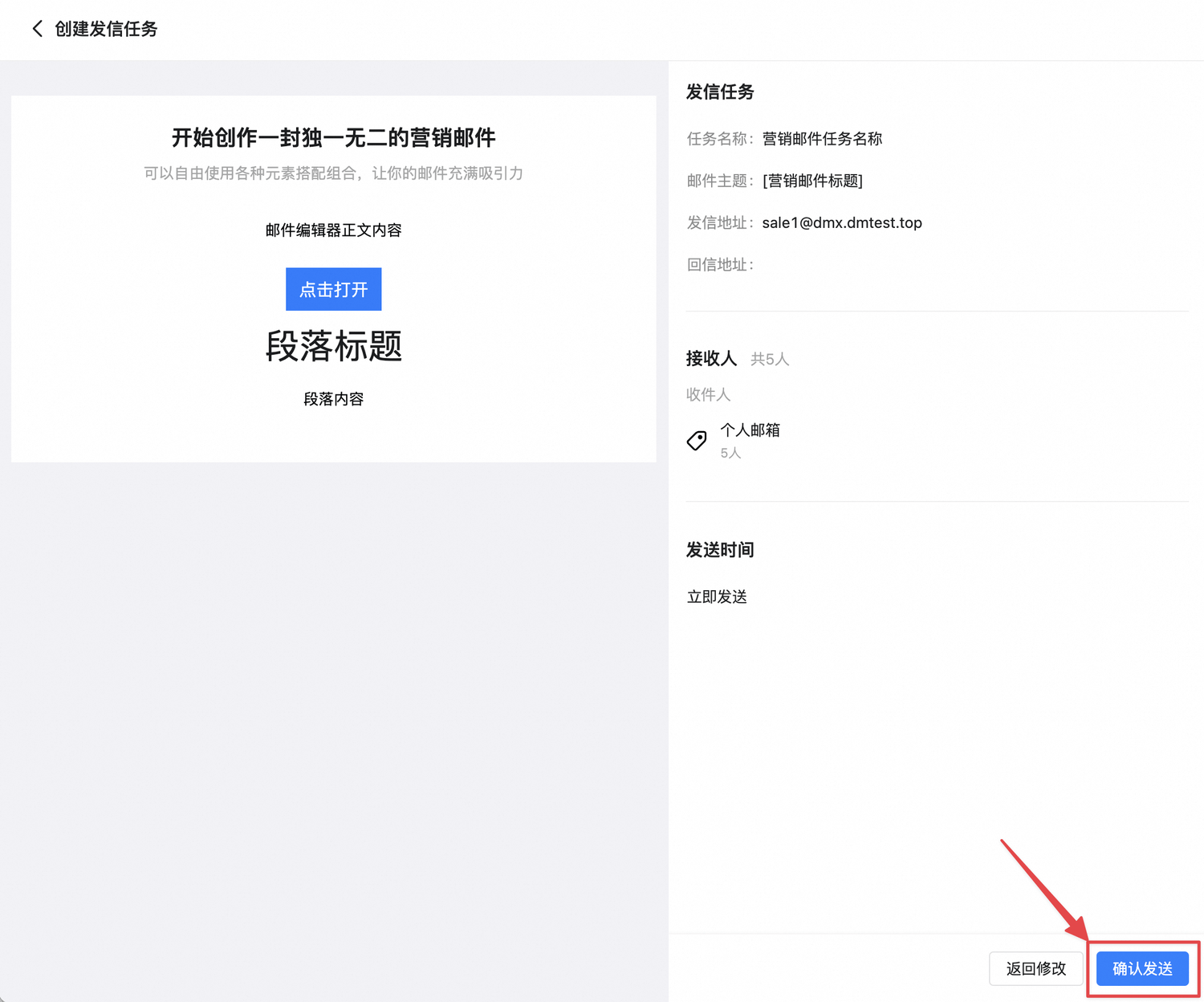
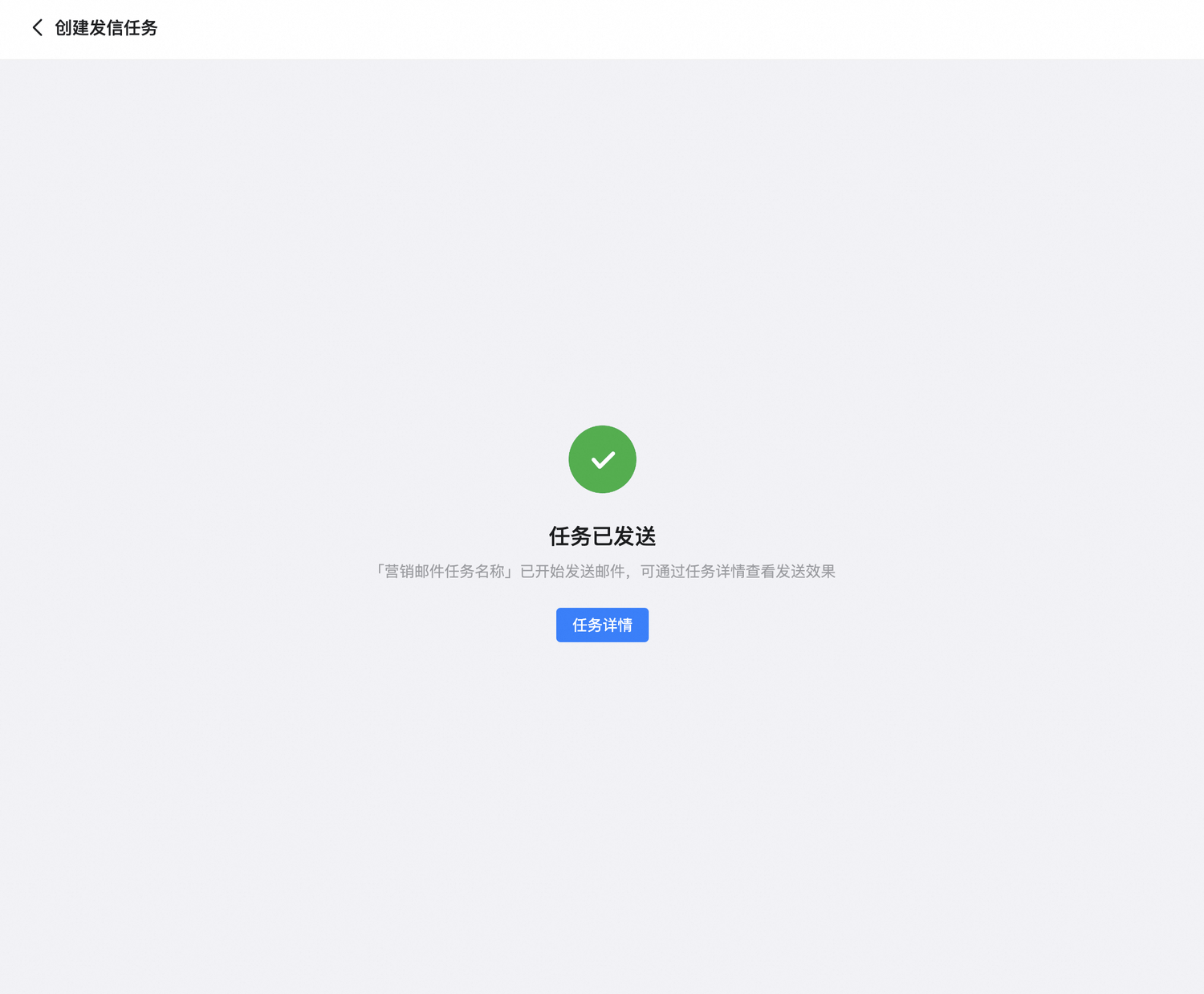
    点击「下一步」进入任务预览页面。确认发送内容无误后，点击「确认发送」完成发信。

    <Frame>
      <img src="https://mintcdn.com/sendify-3a1f7fa4/IaJHUY9fCSXuo_lG/send-task-preview.png?fit=max&auto=format&n=IaJHUY9fCSXuo_lG&q=85&s=641c61d64c431abef9a2419df60b6f5f" alt="预览并确认发送" className="mx-auto" style={{ width:"69%" }} width="1500" height="1248" data-path="send-task-preview.png" />
    </Frame>

    <Frame>
      <img src="https://mintcdn.com/sendify-3a1f7fa4/IaJHUY9fCSXuo_lG/send-task-success.png?fit=max&auto=format&n=IaJHUY9fCSXuo_lG&q=85&s=28b77872bfea2f2adb29078798eb0982" alt="发信任务创建成功" className="mx-auto" style={{ width:"73%" }} width="1500" height="1238" data-path="send-task-success.png" />
    </Frame>
  </Step>
</Steps>

<Warning>
  正式发送前，请仔细核对收件人、邮件内容、发信地址和发送时间。
</Warning>


This documentation is built and hosted on [Mintlify](https://mintlify.com), a developer documentation platform.