> ## Documentation Index
> Fetch the complete documentation index at: https://docs.sendify.dingstore.cn/llms.txt
> Use this file to discover all available pages before exploring further.

# 素材库

> 上传、管理并在邮件中使用图片素材

Sendify 提供「素材库」功能，用于管理需要在邮件中频繁使用的内容。目前支持图片素材，后续将支持更多素材类型。

## 上传素材

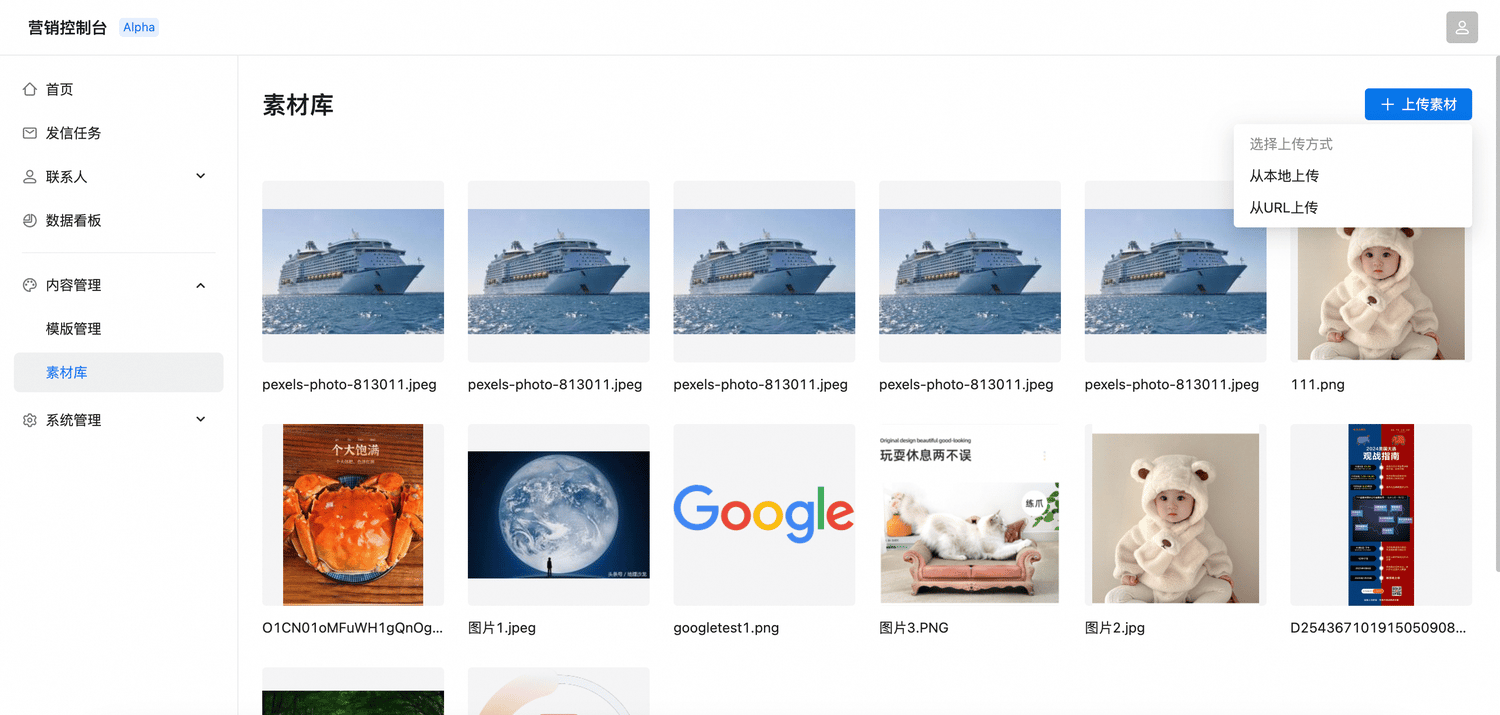
支持从本地或 URL 上传素材图片，目前暂不支持批量上传。

<Frame>
  <img src="https://mintcdn.com/sendify-3a1f7fa4/IaJHUY9fCSXuo_lG/assets-upload-menu.png?fit=max&auto=format&n=IaJHUY9fCSXuo_lG&q=85&s=0263de315991c116084a588496e9b84d" alt="选择素材上传方式" width="1500" height="715" data-path="assets-upload-menu.png" />
</Frame>

## 管理素材

素材上传后，可以通过以下方式管理和使用：

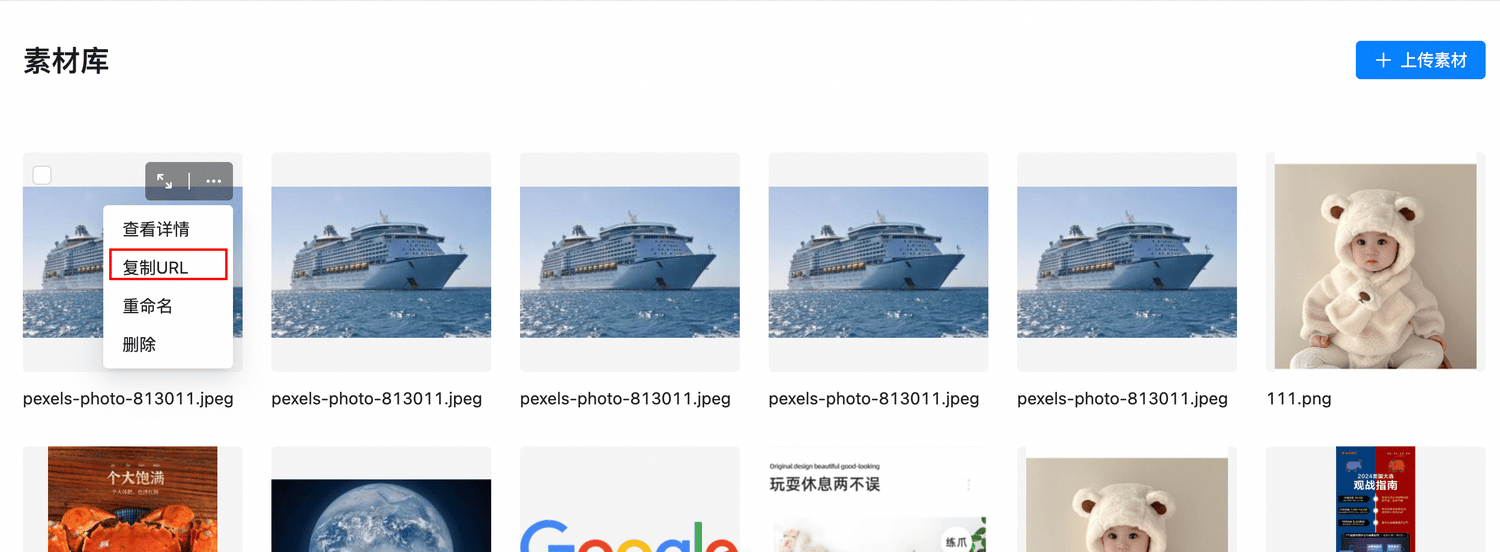
* **预览素材**：直接在素材列表中点击图片预览，或在预览图右上角的「…」菜单中点击「查看详情」。
* **复制 URL**：复制素材图片链接并插入邮件，适合替换本地编辑的邮件模板中的图片链接。

<Frame>
  <img src="https://mintcdn.com/sendify-3a1f7fa4/IaJHUY9fCSXuo_lG/assets-copy-url.png?fit=max&auto=format&n=IaJHUY9fCSXuo_lG&q=85&s=79a5ad5cfd9a2d7adc139dd54e8b8c9c" alt="预览素材并复制 URL" width="1500" height="552" data-path="assets-copy-url.png" />
</Frame>

## 自动审核

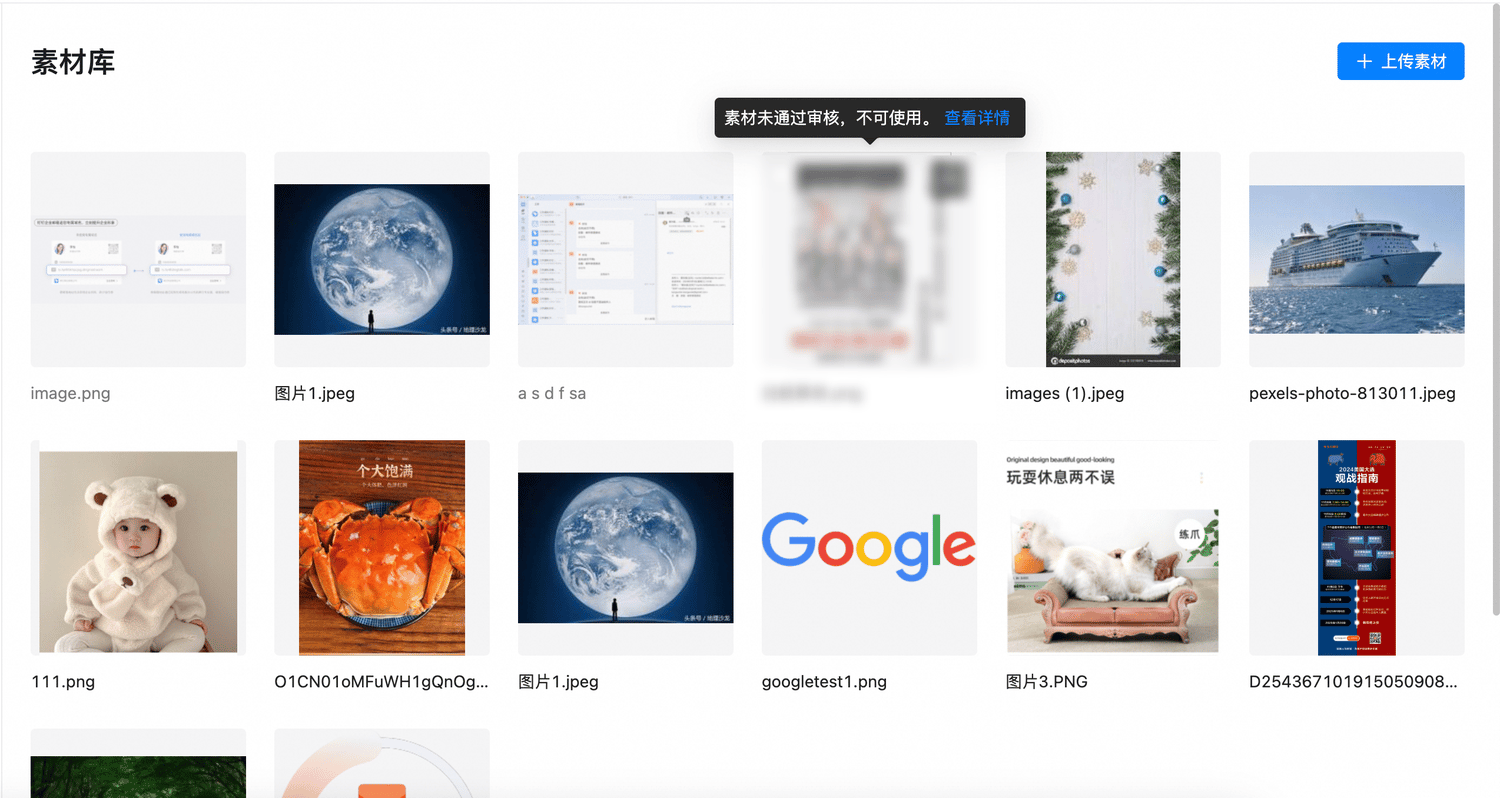
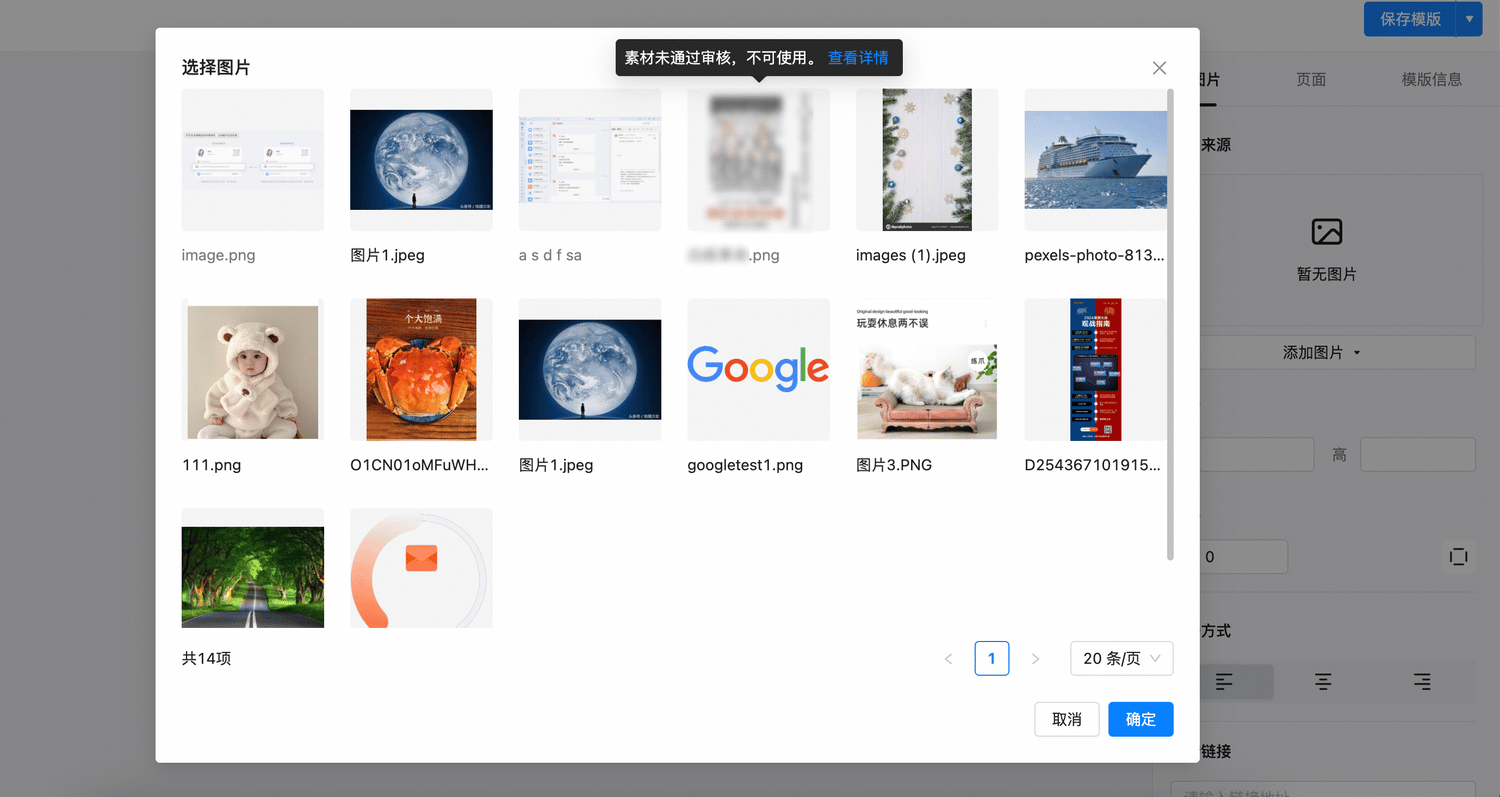
Sendify 会对素材库内容进行智能扫描。若图片包含违规内容，该素材将无法使用。点击「查看详情」可以查看违规原因。

<Frame>
  <img src="https://mintcdn.com/sendify-3a1f7fa4/IaJHUY9fCSXuo_lG/assets-review.png?fit=max&auto=format&n=IaJHUY9fCSXuo_lG&q=85&s=b1dc9c79bef2fb2d390d5b3d559efe95" alt="查看素材审核状态" width="1500" height="798" data-path="assets-review.png" />
</Frame>

## 使用素材库图片

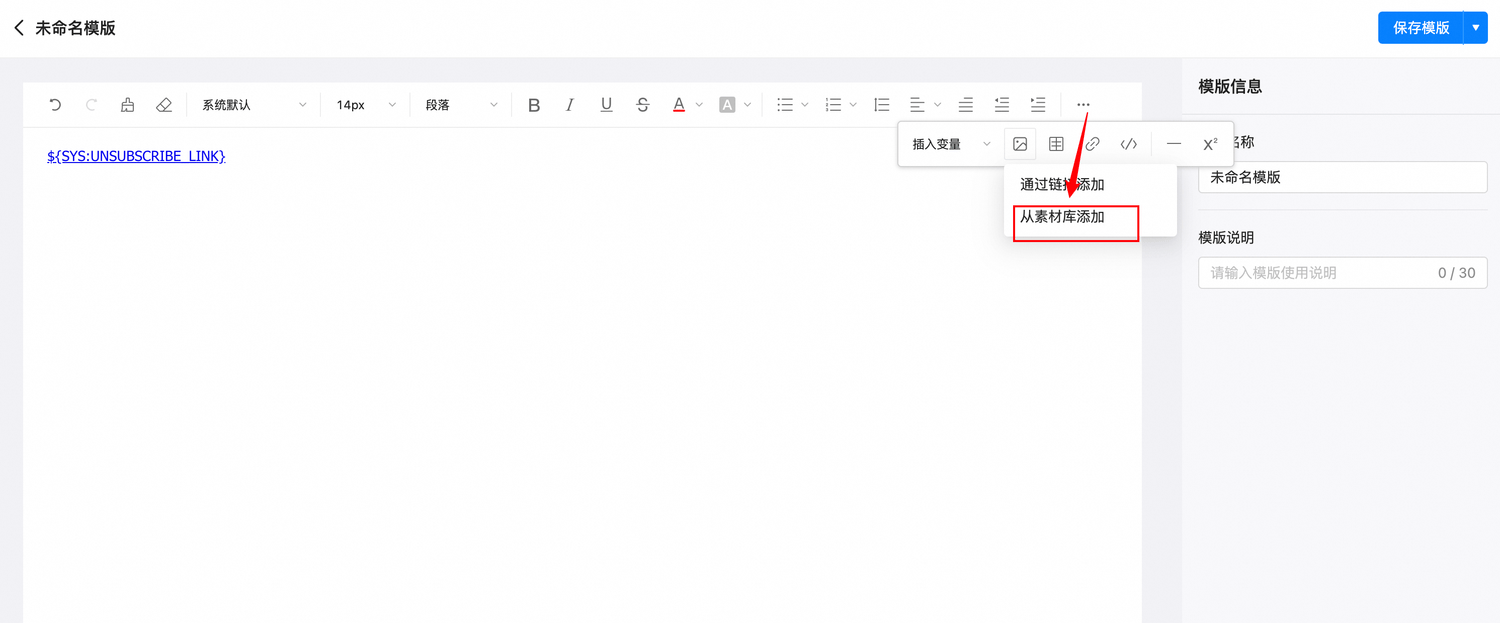
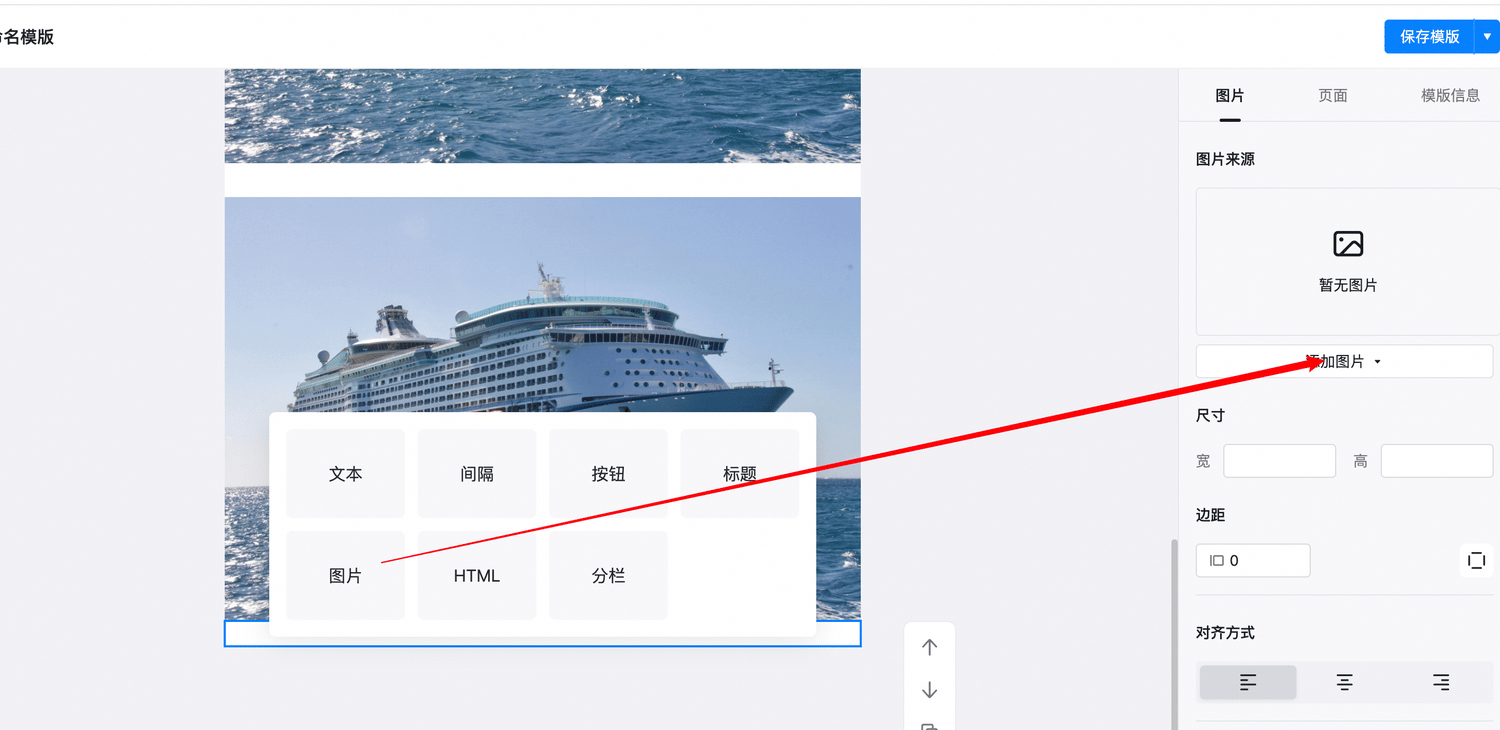
您可以从富文本编辑器或搭建式编辑器中进入素材库，选择图片并插入邮件。

<Tabs>
  <Tab title="富文本编辑器">
    <Frame>
      <img src="https://mintcdn.com/sendify-3a1f7fa4/IaJHUY9fCSXuo_lG/assets-rich-editor.png?fit=max&auto=format&n=IaJHUY9fCSXuo_lG&q=85&s=a0e5d15d00bb811ef1ca6e828937b5c2" alt="从富文本编辑器打开素材库" width="1500" height="623" data-path="assets-rich-editor.png" />
    </Frame>

    <Frame>
      <img src="https://mintcdn.com/sendify-3a1f7fa4/IaJHUY9fCSXuo_lG/assets-picker.png?fit=max&auto=format&n=IaJHUY9fCSXuo_lG&q=85&s=8d5b57e8e582a3e47ba80da1dec0f999" alt="从素材库选择图片" width="1500" height="797" data-path="assets-picker.png" />
    </Frame>
  </Tab>

  <Tab title="搭建式编辑器">
    <Frame>
      <img src="https://mintcdn.com/sendify-3a1f7fa4/IaJHUY9fCSXuo_lG/assets-builder-editor.png?fit=max&auto=format&n=IaJHUY9fCSXuo_lG&q=85&s=9ce380c8e871dae1604ebb0d4b132053" alt="在搭建式编辑器中添加素材图片" width="1500" height="730" data-path="assets-builder-editor.png" />
    </Frame>
  </Tab>
</Tabs>

<Note>
  未通过审核的图片虽然可见，但无法实际使用。
</Note>


This documentation is built and hosted on [Mintlify](https://mintlify.com), a developer documentation platform.